
Building a Care Packet
Everything the app holds, in one document for your care team.
A Care Packet puts everything Aevora Reporter knows into one document you can send when you need to write to your care team. Tap Check-In, then Build Care Packet.
If today's Daily Check is not done, the app offers to do it first. A packet without it still carries your readings, medications and history, but not today's symptoms.
The steps
- More about today. A few further questions, only about what you marked in the Daily Check. Skip any you like.
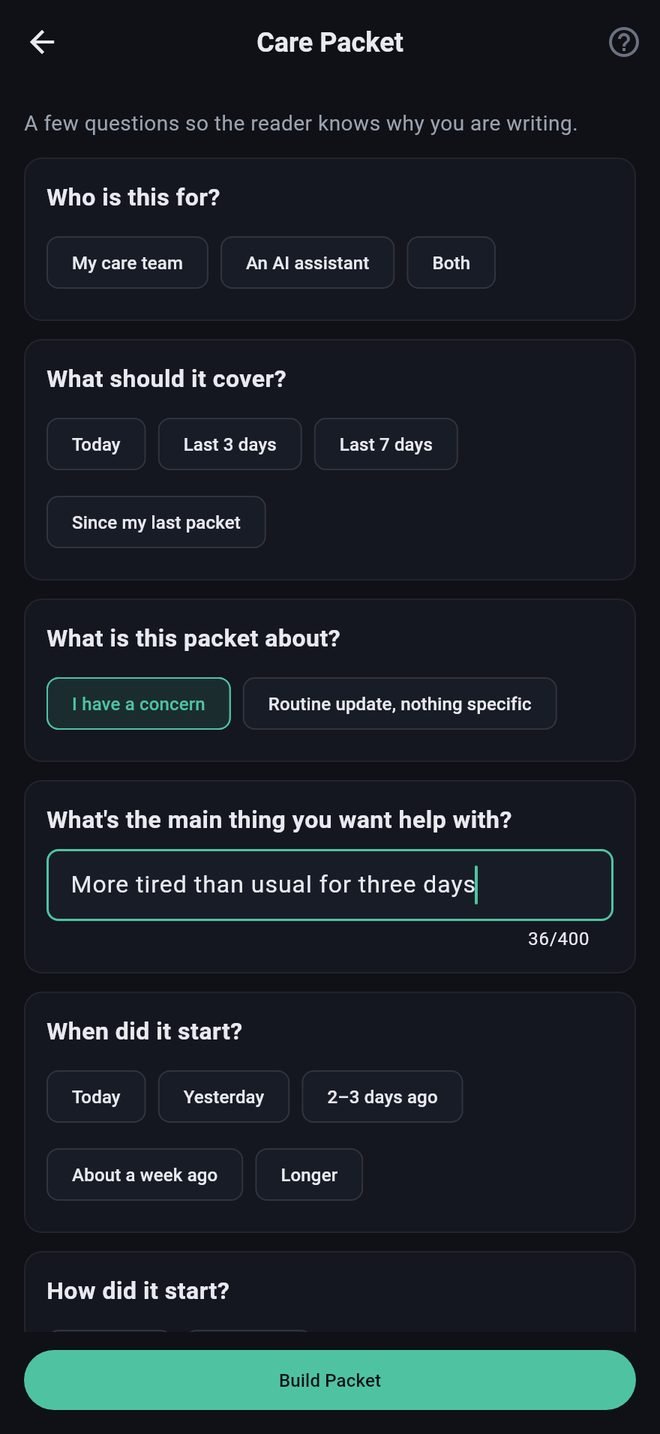
- Why you are writing. Who it is for, what period it covers, whether you have a concern, when it started, what you have tried, and what you want from your team.
- Your packet, ready to read, copy or share.
What is in it
- Any call notices you were shown.
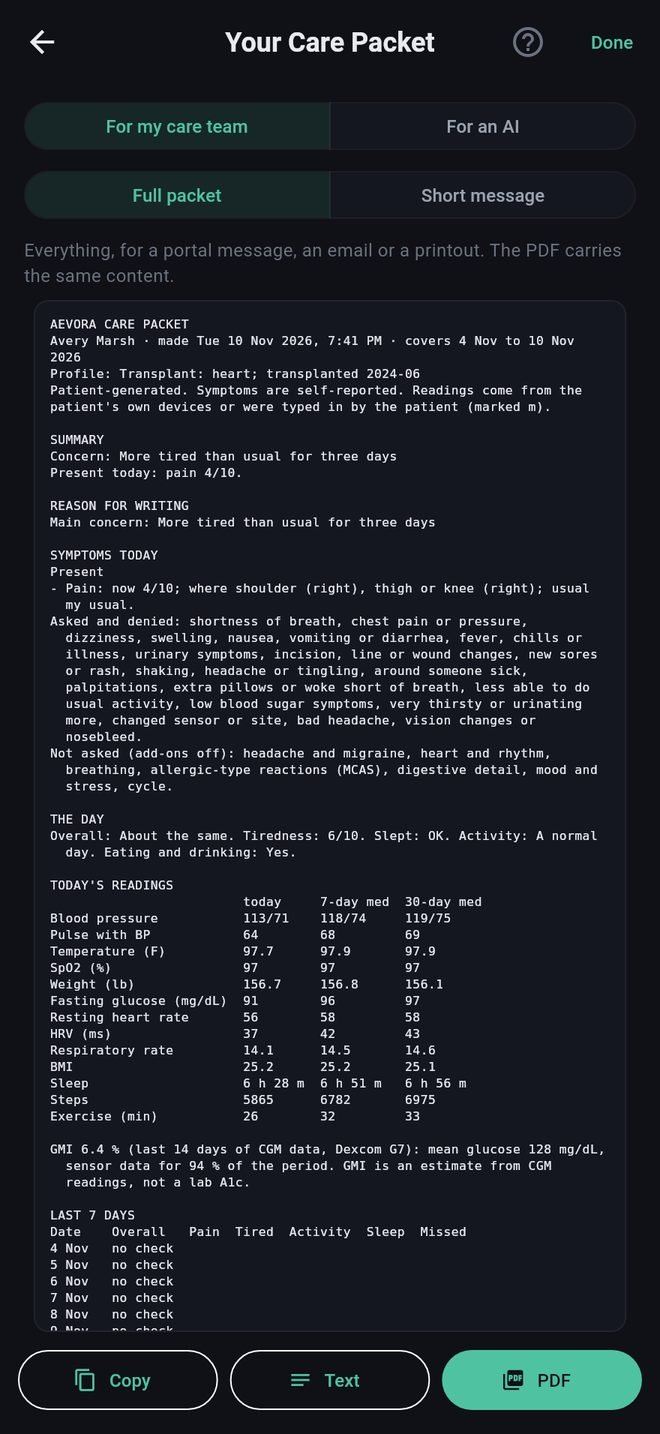
- A short summary and your reason for writing.
- Symptoms you have, symptoms you were asked about and said no to, and what was not asked.
- Today's readings beside your own middle value for the last 7 days and the last 30, with anything past a call-us number marked.
- A table of the days in the period.
- Your medications, with anti-rejection medications marked and any late or missed doses.
- Your answers to the profile and add-on questions, your latest stand check, and anything you wrote in your own words.
- Your name, date of birth, height, weight, blood type, conditions, allergies, and care team with phone numbers.
- Where each reading came from.
How to send it is in Packet formats and sharing.
A copy is kept
The first time you copy or share a packet, the app saves a copy, as text and as a PDF, in the Check-Ins folder of your Aevora folder.
Building a Care Packet
Everything the app holds, in one document for your care team.
A Care Packet puts everything Aevora Reporter knows into one document you can send when you need to write to your care team. Tap Check-In, then Build Care Packet.
If today's Daily Check is not done, the app offers to do it first. A packet without it still carries your readings, medications and history, but not today's symptoms.
The steps
- More about today. A few further questions, only about what you marked in the Daily Check. Skip any you like.
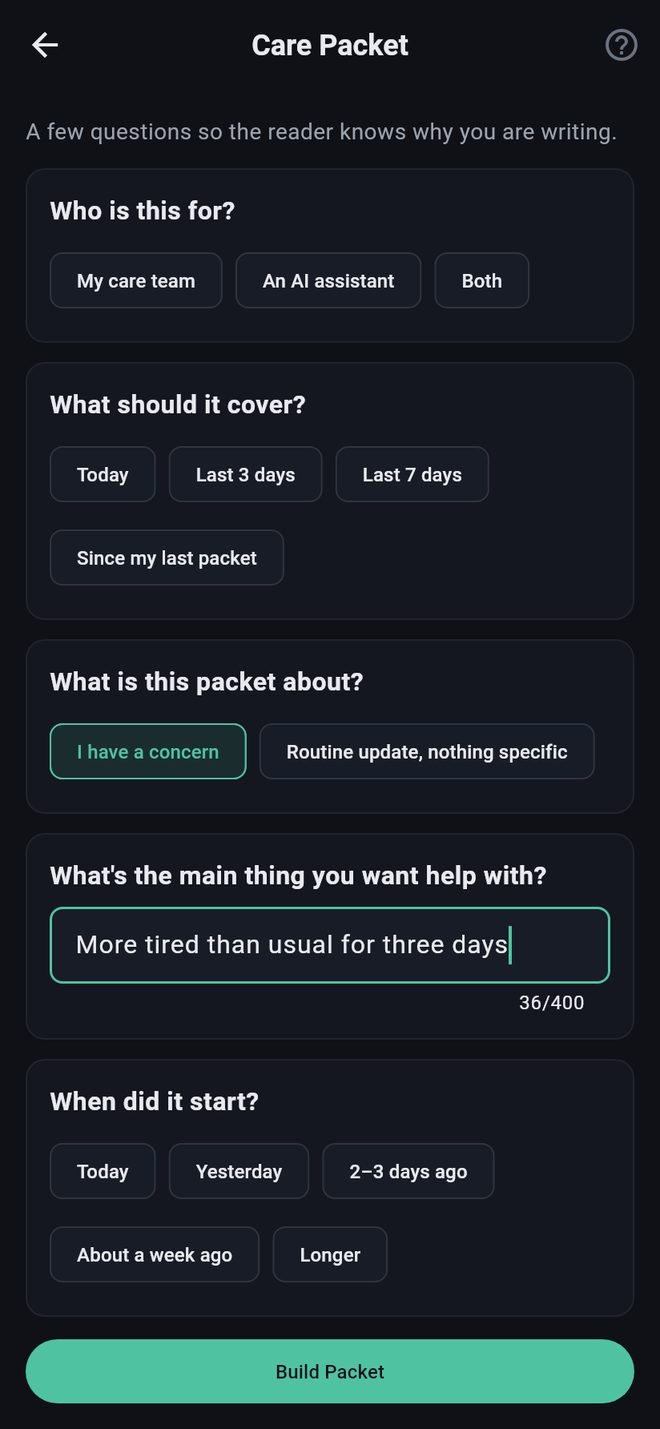
- Why you are writing. Who it is for, what period it covers, whether you have a concern, when it started, what you have tried, and what you want from your team.
- Your packet, ready to read, copy or share.
What is in it
- Any call notices you were shown.
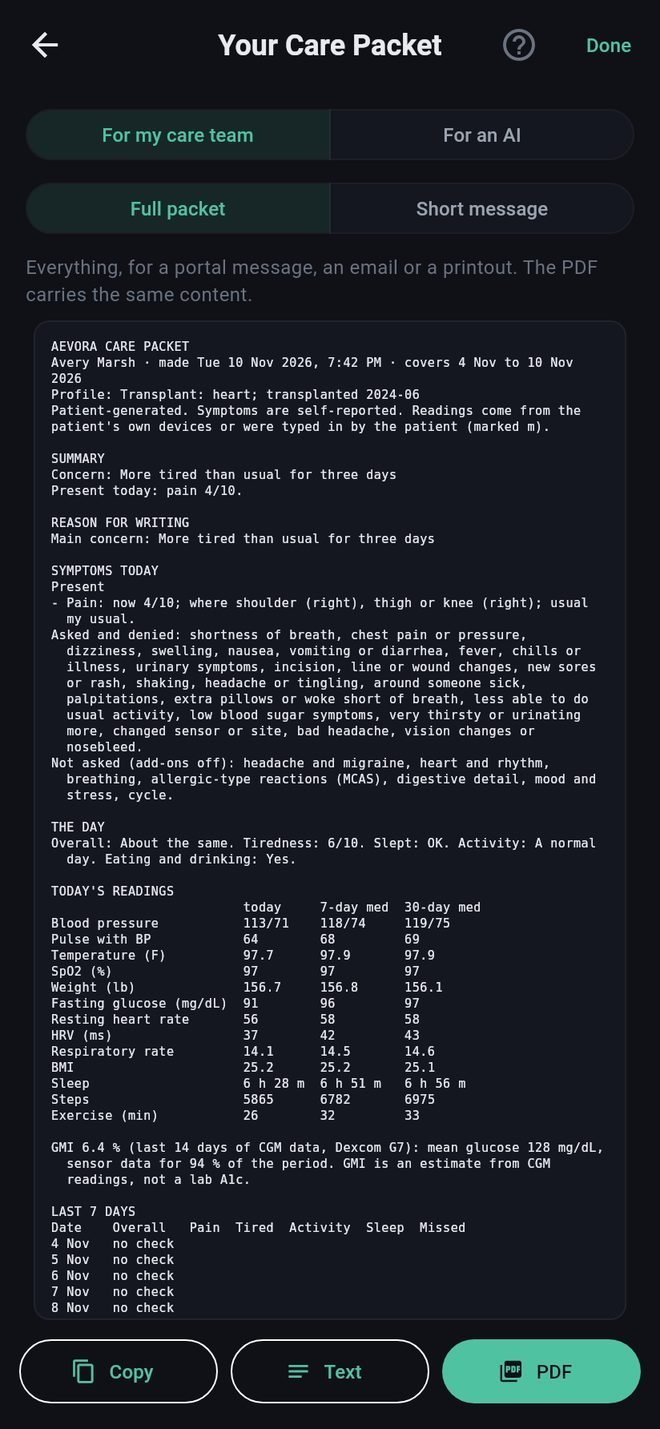
- A short summary and your reason for writing.
- Symptoms you have, symptoms you were asked about and said no to, and what was not asked.
- Today's readings beside your own middle value for the last 7 days and the last 30, with anything past a call-us number marked.
- A table of the days in the period.
- Your medications, with anti-rejection medications marked and any late or missed doses.
- Your answers to the profile and add-on questions, your latest stand check, and anything you wrote in your own words.
- Your name, date of birth, height, weight, blood type, conditions, allergies, and care team with phone numbers.
- Where each reading came from.
How to send it is in Packet formats and sharing.
A copy is kept
The first time you copy or share a packet, the app saves a copy, as text and as a PDF, in the Check-Ins folder of your Aevora folder.