GMI
The 14-day Glucose Management Indicator, for people who wear a glucose sensor.
GMI, the Glucose Management Indicator, is a standard way of summarizing continuous glucose monitor readings as a single percentage. If a sensor writes to Apple Health on this phone, Aevora Reporter works it out for the last 14 days.
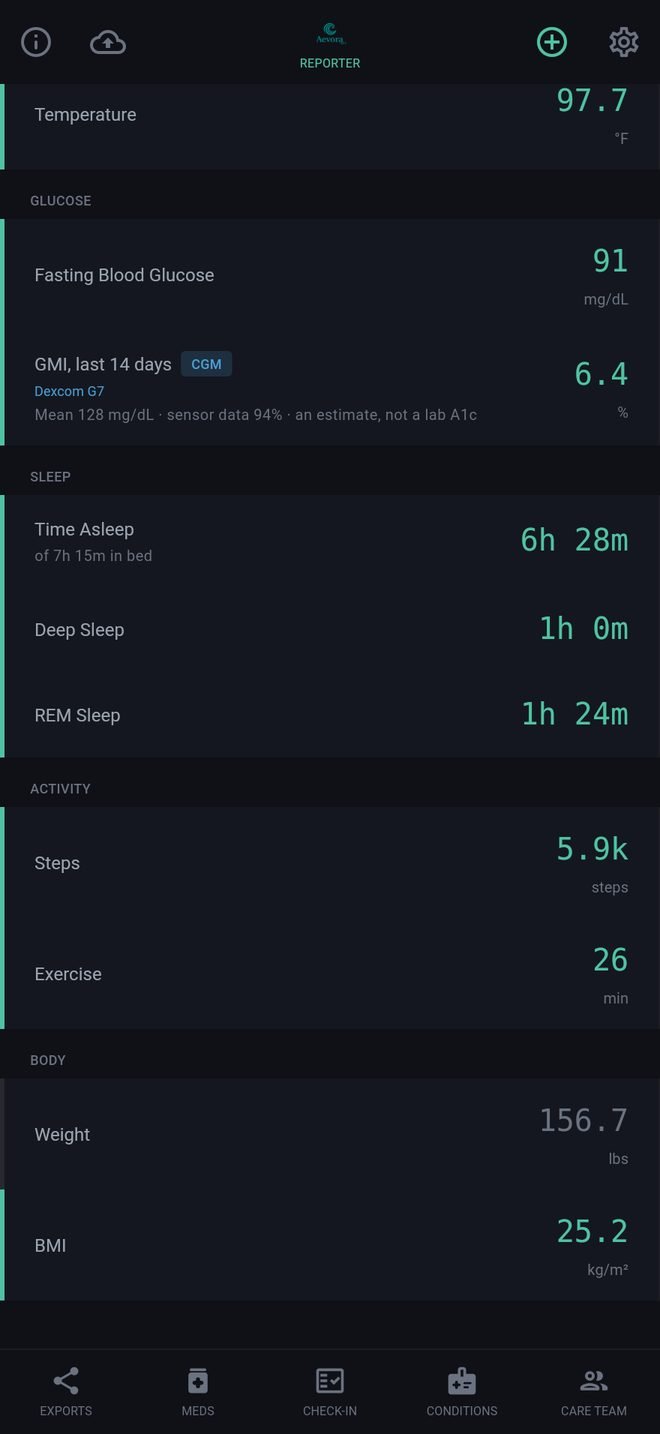
What you see
- The GMI, the average glucose behind it (in mg/dL or mmol/L, as chosen in Settings under Profile), and how much of the 14 days the sensor covered.
- The name of the sensor it came from.
- The same line at the bottom of the Health Metrics report and in the Care Packet.
When it appears
- Only with a continuous glucose monitor. Finger-stick readings and readings you typed in are not counted.
- Only when the sensor covers at least 70% of the 14 days. With less, the app says how much it has and gives no GMI, because a GMI from thin data misleads.
- There is nothing to set up, and it carries across if you change to a different sensor.
What it is not
GMI is an estimate from sensor readings. It is not a lab A1c, and the two often differ. Your care team will know which to rely on for you.
It may also differ by a tenth from the figure in your sensor's own app, because sensor apps pass readings to Apple Health a few hours late.
GMI
The 14-day Glucose Management Indicator, for people who wear a glucose sensor.
GMI, the Glucose Management Indicator, is a standard way of summarizing continuous glucose monitor readings as a single percentage. If a sensor writes to Health Connect on this phone, Aevora Reporter works it out for the last 14 days.
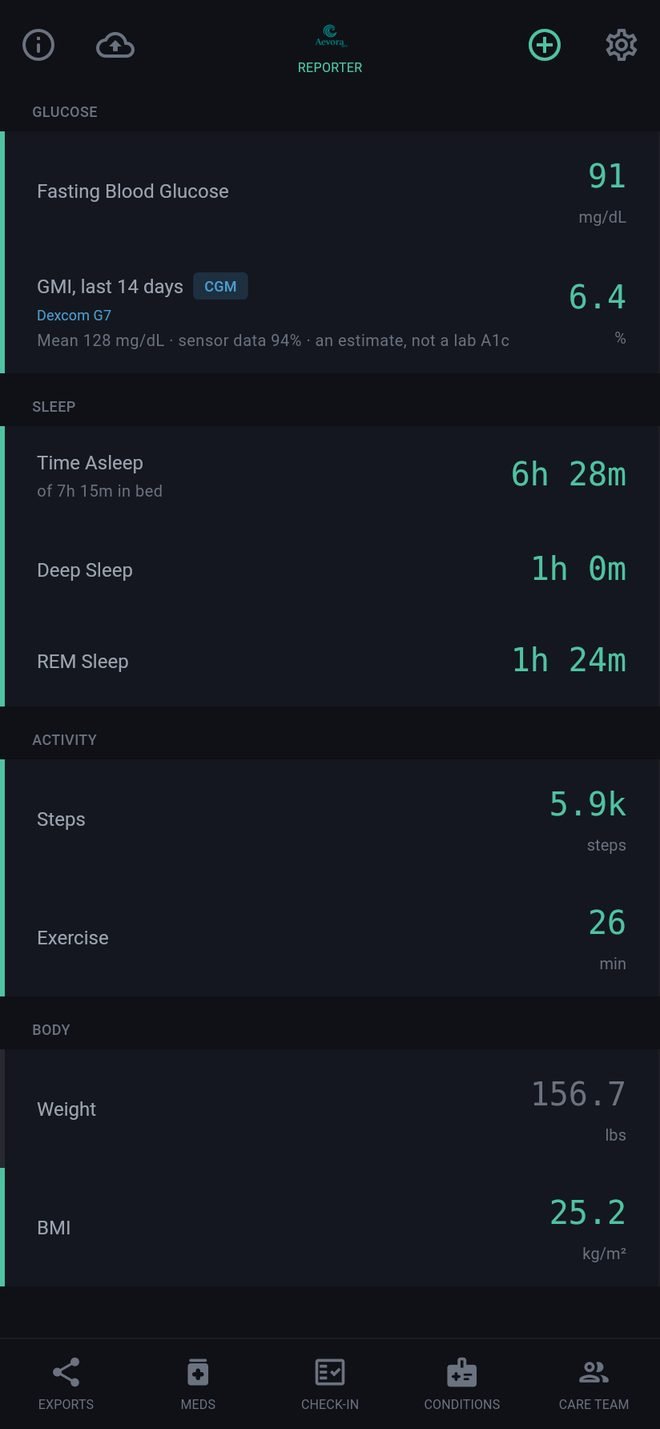
What you see
- The GMI, the average glucose behind it (in mg/dL or mmol/L, as chosen in Settings under Profile), and how much of the 14 days the sensor covered.
- The name of the sensor it came from.
- The same line at the bottom of the Health Metrics report and in the Care Packet.
When it appears
- Only with a continuous glucose monitor. Finger-stick readings and readings you typed in are not counted.
- Only when the sensor covers at least 70% of the 14 days. With less, the app says how much it has and gives no GMI, because a GMI from thin data misleads.
- There is nothing to set up, and it carries across if you change to a different sensor.
What it is not
GMI is an estimate from sensor readings. It is not a lab A1c, and the two often differ. Your care team will know which to rely on for you.
It may also differ by a tenth from the figure in your sensor's own app, because sensor apps pass readings to Health Connect a few hours late.