Show instructions for
Reports
The reports the app can build, and how to send one.
Tap Exports at the bottom left.
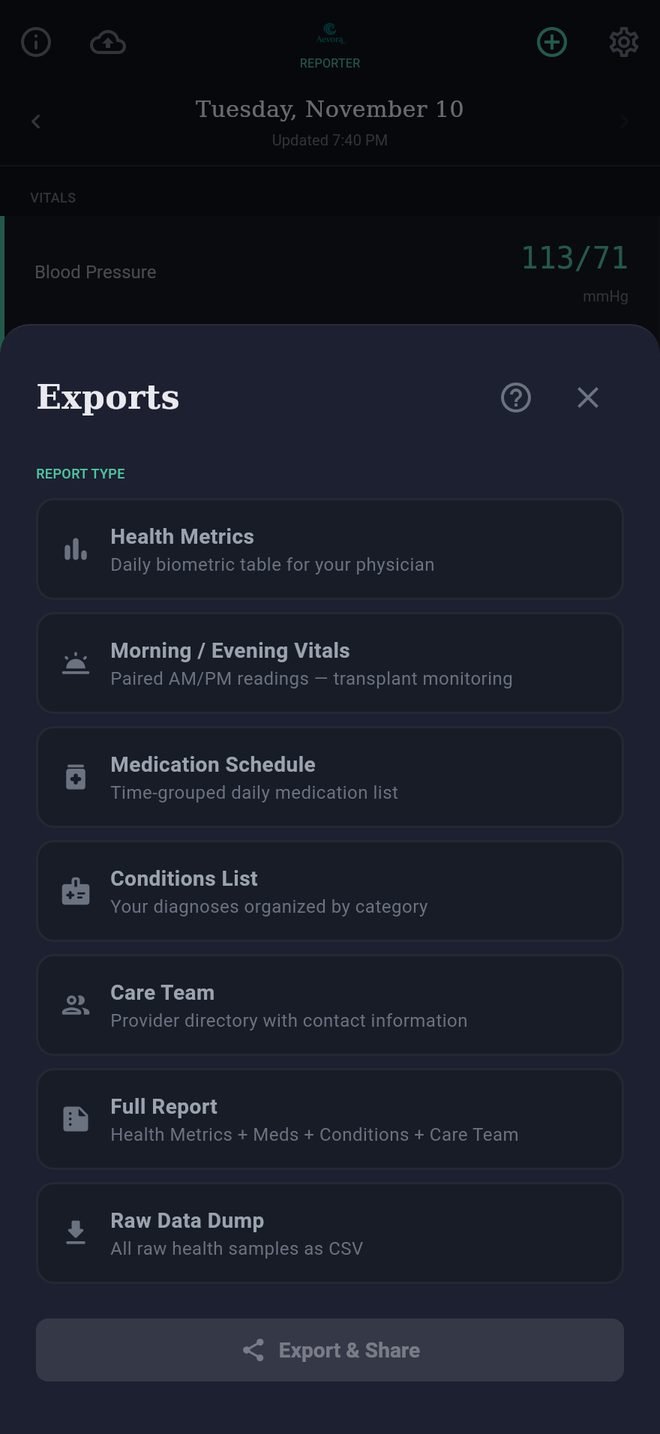
The reports
- Health Metrics: one row for each day, with every reading the app tracks. This is the one most physicians want.
- Morning / Evening Vitals: the twice-a-day log transplant centers ask for. Blood pressure with the pulse taken alongside it, temperature, oxygen saturation and weight for each half of the day, and fasting glucose each morning.
- Medication Schedule: your medications grouped by time of day, to print or hand over.
- Conditions List: your conditions by category.
- Care Team: your providers with their contact details.
- Full Report: Health Metrics, Medication Schedule, Conditions and Care Team together in one PDF.
- Raw Data Dump: every sample, as a spreadsheet file. See Raw export.
Making one
- Tap the report you want.
- For reports that cover a period, choose the dates: Last 7 Days, Last 30 Days, Week to Date or Month to Date.
- Choose a format where there is a choice. A PDF is right for sending or printing; an image suits a text message; a spreadsheet file suits someone who wants the numbers.
- Tap Export & Share and choose where it goes: your portal app, email, a printer, or Save to Files.
A copy is saved to the Reports folder in your Aevora folder.
Units
Reports use the units chosen in Settings under Profile: pounds and Fahrenheit or kilograms and Celsius, and mg/dL or mmol/L for glucose. Each column says which.
If a column is empty
A report can only show what the app has. See A reading is missing.
Reports
The reports the app can build, and how to send one.
Tap Exports at the bottom left.
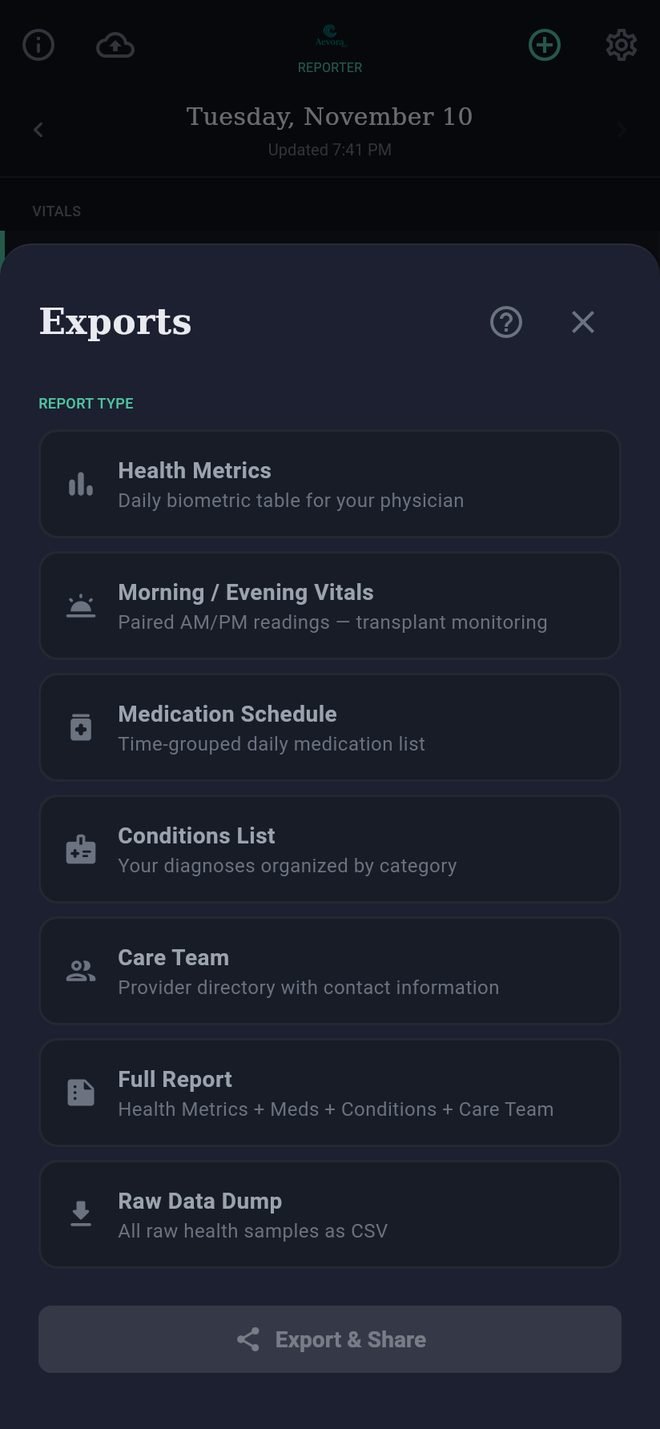
The reports
- Health Metrics: one row for each day, with every reading the app tracks. This is the one most physicians want.
- Morning / Evening Vitals: the twice-a-day log transplant centers ask for. Blood pressure with the pulse taken alongside it, temperature, oxygen saturation and weight for each half of the day, and fasting glucose each morning.
- Medication Schedule: your medications grouped by time of day, to print or hand over.
- Conditions List: your conditions by category.
- Care Team: your providers with their contact details.
- Full Report: Health Metrics, Medication Schedule, Conditions and Care Team together in one PDF.
- Raw Data Dump: every sample, as a spreadsheet file. See Raw export.
Making one
- Tap the report you want.
- For reports that cover a period, choose the dates: Last 7 Days, Last 30 Days, Week to Date or Month to Date.
- Choose a format where there is a choice. A PDF is right for sending or printing; an image suits a text message; a spreadsheet file suits someone who wants the numbers.
- Tap Export & Share and choose where it goes: your portal app, email, a printer, or Save to Files.
A copy is saved to the Reports folder in your Aevora folder.
Units
Reports use the units chosen in Settings under Profile: pounds and Fahrenheit or kilograms and Celsius, and mg/dL or mmol/L for glucose. Each column says which.
If a column is empty
A report can only show what the app has. See A reading is missing.