
Your Aevora folder
Where backups, reports and Care Packets are kept, and how to change it.
The Aevora folder is one place the app keeps its files so you never have to say where to save. Inside it the app makes three folders:
- Backups: the newest five one-touch backups.
- Reports: a copy of every report you export.
- Check-Ins: a copy of every Care Packet you share.
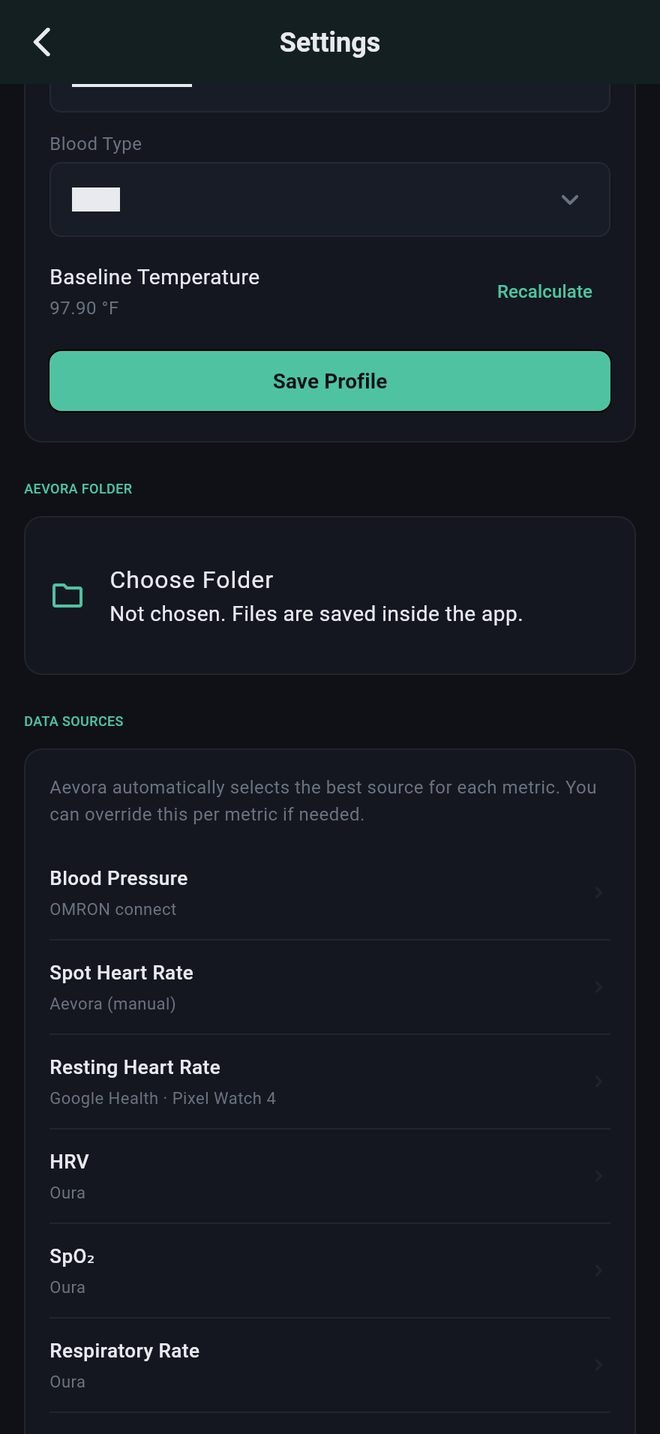
Choosing the folder on iPhone
- Open Settings (the gear) and find Aevora Folder near the top.
- Tap Choose Folder.
- Pick or make a folder. A folder in iCloud Drive is a good choice: the files are then safe if the phone is lost, and you can open them on a Mac or iPad.
Until you choose one, files are kept inside the app, where the Files app cannot see them. The app asks you to choose the first time you open it and again when you tap the backup icon without a folder.
Changing or stopping
In Settings under Aevora Folder you can change to a different folder or stop using the one you chose. Files already saved stay where they are; new files go to the new place.
If the folder can no longer be reached (it was renamed, deleted, or the phone is offline and the folder is in the cloud), the app saves to its built-in place instead and tells you. See Folder problems.
Your Aevora folder
Where backups, reports and Care Packets are kept, and how to change it.
The Aevora folder is one place the app keeps its files so you never have to say where to save. Inside it the app makes three folders:
- Backups: the newest five one-touch backups.
- Reports: a copy of every report you export.
- Check-Ins: a copy of every Care Packet you share.
Where files go on Android
Without any setup, files go to Documents, in a folder called Aevora. Open your phone's Files app, go to Documents, then Aevora.
Keeping your files in Google Drive instead
Files in Documents are lost if the phone is lost. To keep them in Google Drive:
- Open Settings (the gear), find Aevora Folder and tap Keep My Files in Google Drive.
- The app shows five steps, then opens Android's own folder screen. Tap the menu at the top left.
- Tap Drive, then My Drive.
- Tap the new-folder button at the top right and name the folder Aevora.
- Tap USE THIS FOLDER at the bottom, then Allow.
Android's folder screen looks a little different from phone to phone. If you end up somewhere else, tap Try Again.
Changing or stopping
In Settings under Aevora Folder you can change to a different folder or stop using the one you chose. Files already saved stay where they are; new files go to the new place.
If the folder can no longer be reached (it was renamed, deleted, or the phone is offline and the folder is in the cloud), the app saves to its built-in place instead and tells you. See Folder problems.