
The Daily Check
A minute or two of taps about how you are today.
The Daily Check is a short set of questions, answered almost entirely by tapping. Tap Check-In, then Start Daily Check.
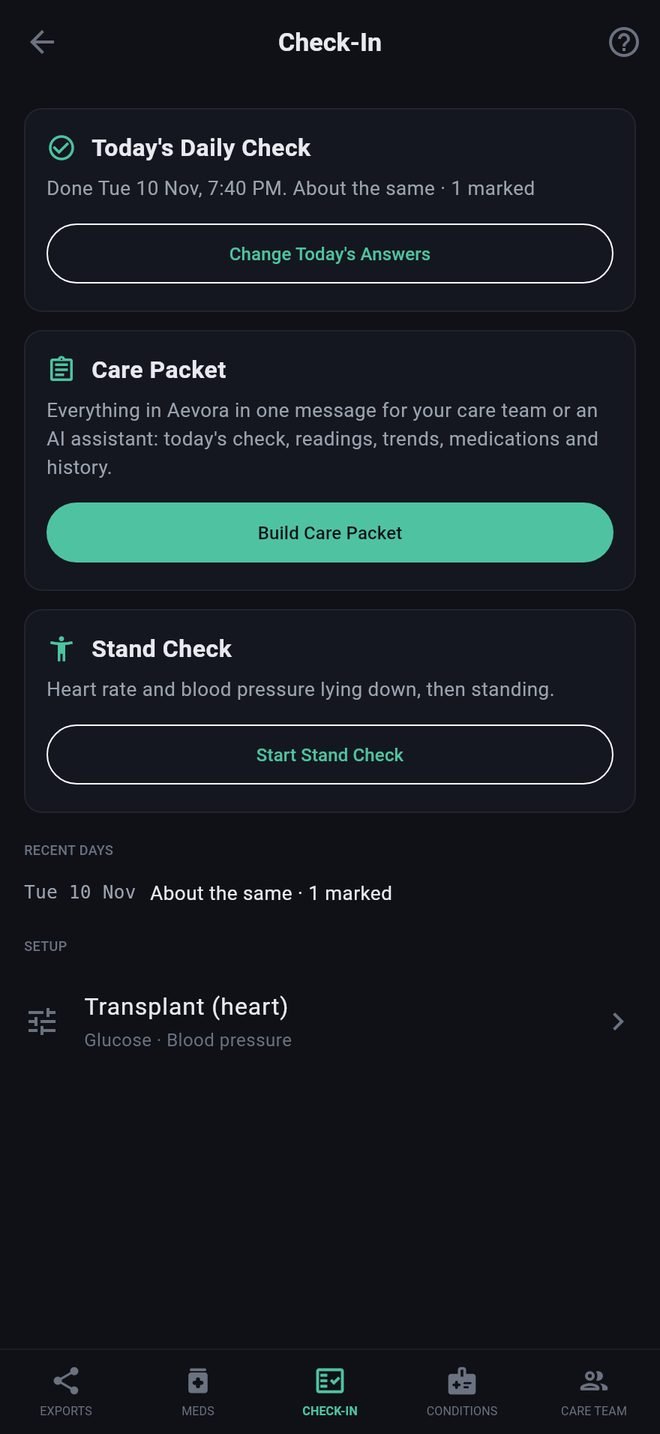
The screens
- Overall: how you are compared with your usual.
- Symptoms: tap anything you have today.
- The day: tiredness, sleep, activity, eating and drinking.
- Medications: whether you took everything, and what was late or missed.
- The questions for your profile, then one screen for each add-on.
- A note, if there is anything you want to add in your own words.
Answering
- On a screen of symptoms, tap each one you have. More questions about it open underneath.
- If you have none of them, tap None of these. The screen needs one or the other before Next lights up. This is so your record can tell "I was asked and said no" from "I was never asked".
- Everything else on a screen is optional.
- Your answers are saved when you finish the last screen. If you leave early, the app asks first.
Marking pain
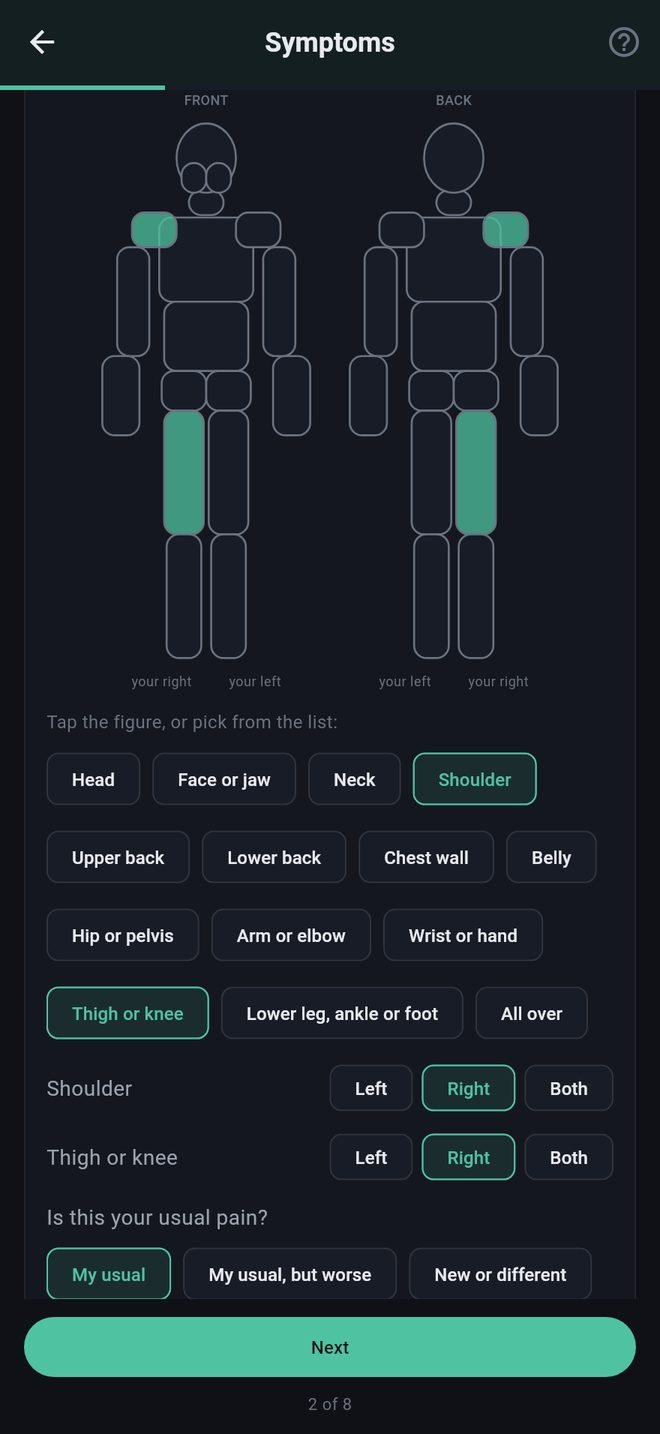
Tap Pain, then mark where: tap the figure, front or back, or pick from the list below it. Both do the same thing. For places with a left and a right, the figure's sides are labeled "your right" and "your left". Then set how bad it is from 0 to 10 and say whether it is your usual pain.
Changing today's answers
Tap Change Today's Answers on the Check-In screen. Your earlier answers are there to edit.
What some answers do
A few answers show a notice telling you to call your care team or your local emergency number (000, 111, 112, 911 or 999, depending on your country). See Call notices and call-us numbers.
The Daily Check
A minute or two of taps about how you are today.
The Daily Check is a short set of questions, answered almost entirely by tapping. Tap Check-In, then Start Daily Check.
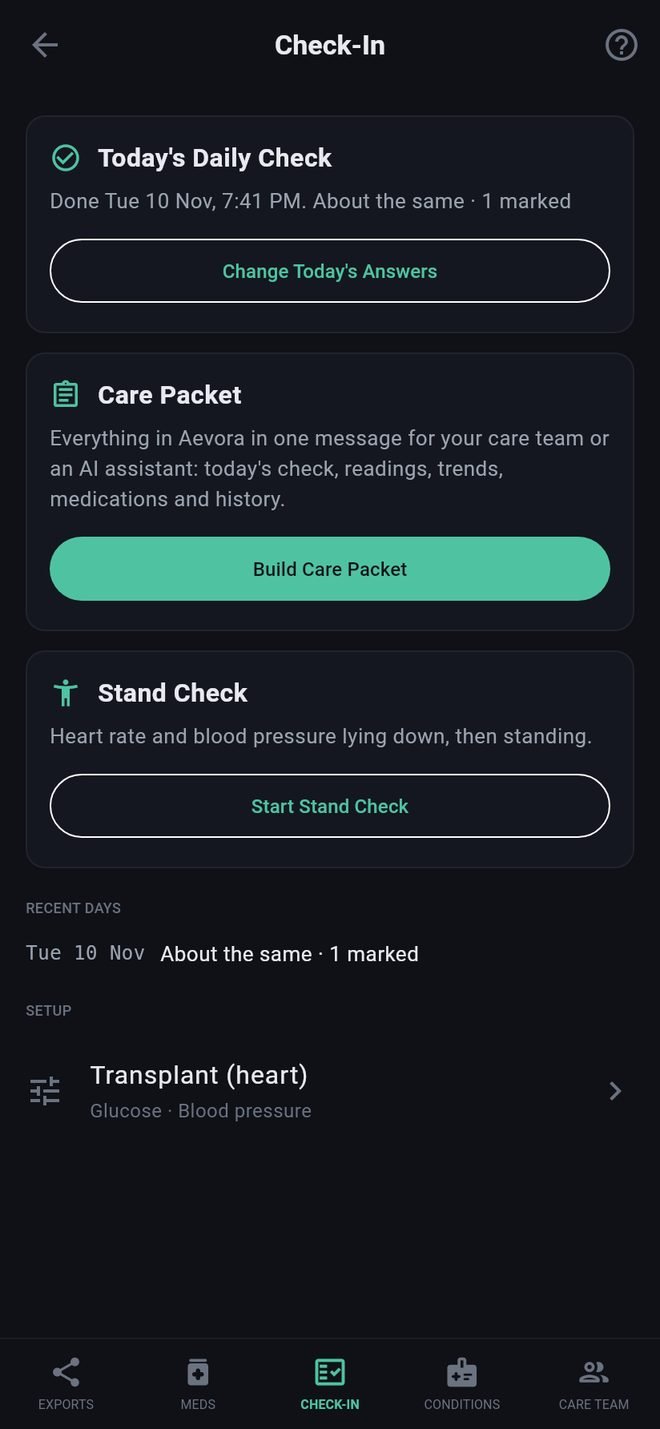
The screens
- Overall: how you are compared with your usual.
- Symptoms: tap anything you have today.
- The day: tiredness, sleep, activity, eating and drinking.
- Medications: whether you took everything, and what was late or missed.
- The questions for your profile, then one screen for each add-on.
- A note, if there is anything you want to add in your own words.
Answering
- On a screen of symptoms, tap each one you have. More questions about it open underneath.
- If you have none of them, tap None of these. The screen needs one or the other before Next lights up. This is so your record can tell "I was asked and said no" from "I was never asked".
- Everything else on a screen is optional.
- Your answers are saved when you finish the last screen. If you leave early, the app asks first.
Marking pain
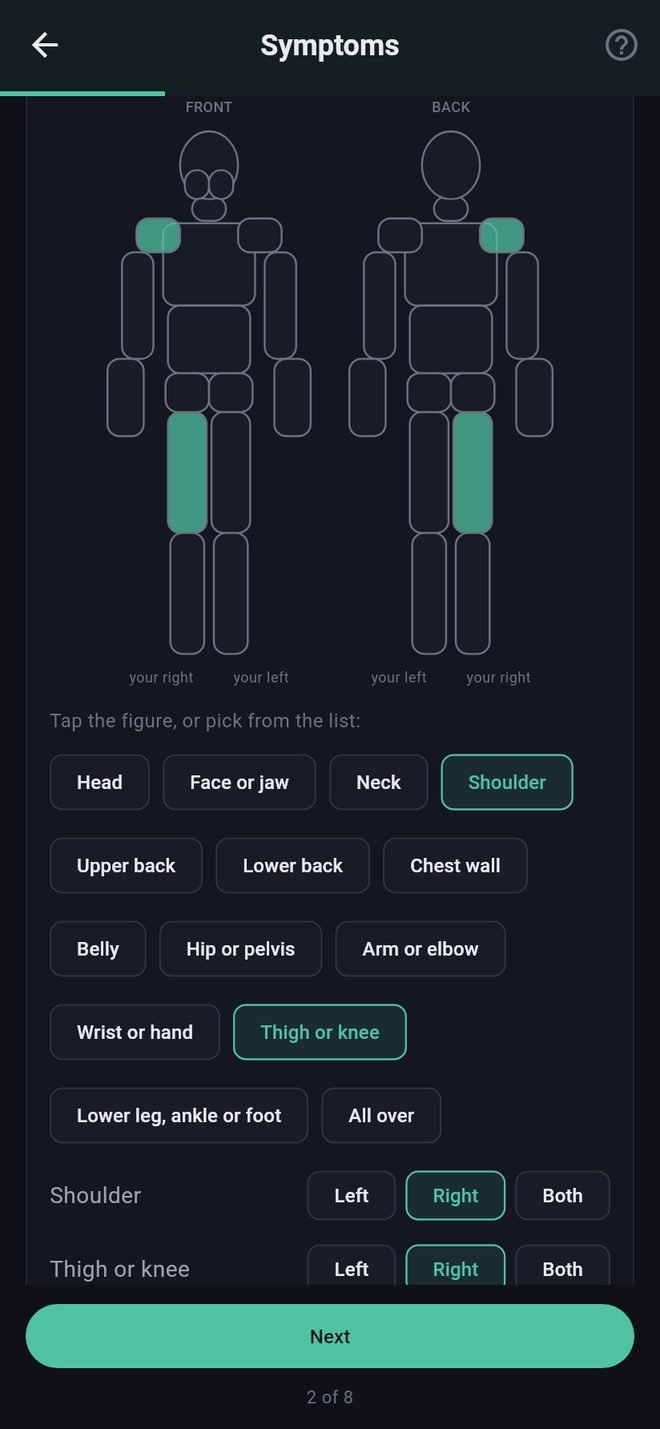
Tap Pain, then mark where: tap the figure, front or back, or pick from the list below it. Both do the same thing. For places with a left and a right, the figure's sides are labeled "your right" and "your left". Then set how bad it is from 0 to 10 and say whether it is your usual pain.
Changing today's answers
Tap Change Today's Answers on the Check-In screen. Your earlier answers are there to edit.
What some answers do
A few answers show a notice telling you to call your care team or your local emergency number (000, 111, 112, 911 or 999, depending on your country). See Call notices and call-us numbers.