
Log Vitals
Typing in the readings your devices do not send.
Log Vitals is for the cuff, thermometer or scale that has no app, or does not share. Tap + at the top of Today.
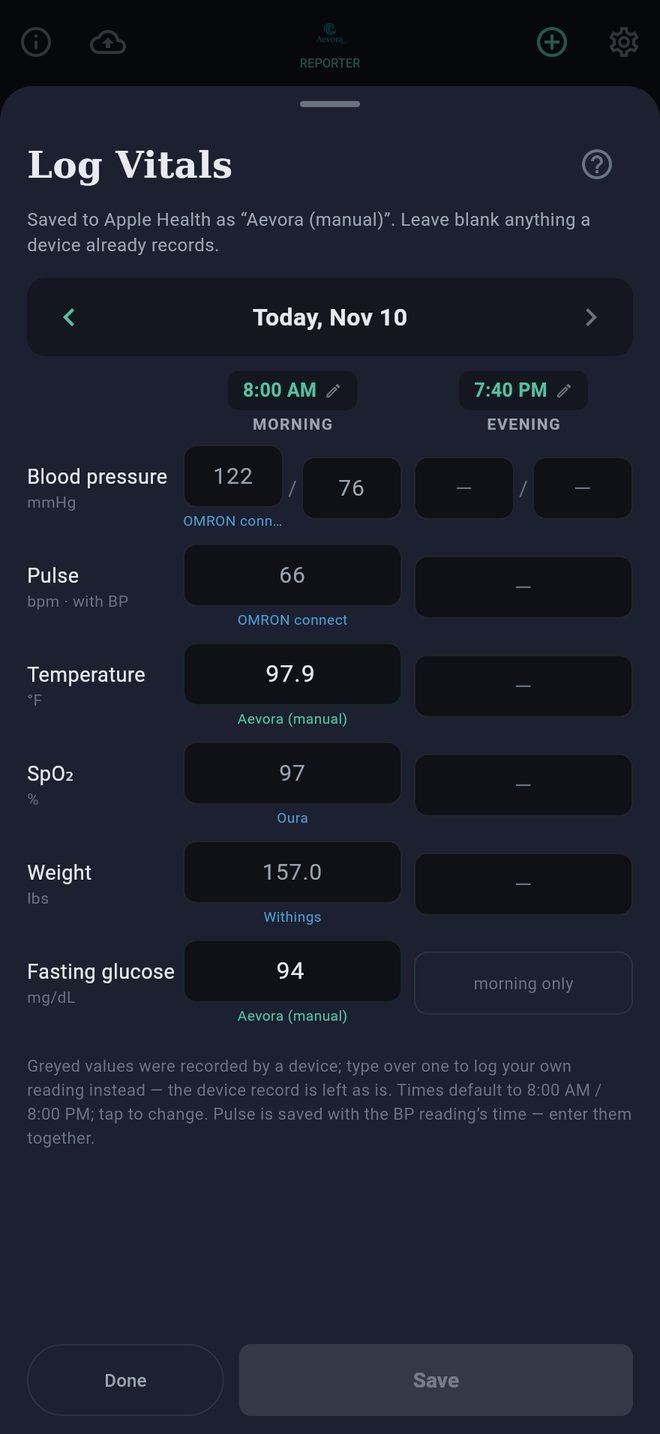
How the sheet is laid out
- One day at a time, with a Morning column and an Evening column. The arrows beside the date move a day at a time.
- Six rows: blood pressure, pulse, temperature, oxygen saturation, weight, and fasting glucose (morning only).
- Each column has a time, which you can tap to change. It starts at 8:00 AM and 8:00 PM, or the present time for the half of today you are in.
Filling it in
- Readings your devices already recorded appear in grey, with the device's name beneath. Leave those alone.
- Type the readings that are missing.
- Tap Save.
Typing over a grey value records your own reading for that time. The device's reading is not changed or removed; yours is simply used first.
Pulse needs a blood pressure reading in the same column, because it is recorded as the pulse taken with that reading.
Temperature and weight are typed in the units you chose in Settings under Profile, and glucose in mg/dL or mmol/L, whichever you chose there. The unit is shown beside each box.
Where the readings go
They are saved to Apple Health as your own, labeled Aevora (manual). They appear on Today and in every report, and they stay in Apple Health if you ever remove the app.
Changing or removing one
Open the same day, change the number and tap Save. To remove a reading, clear its box and tap Save. The app only ever changes readings it wrote itself.
Log Vitals
Typing in the readings your devices do not send.
Log Vitals is for the cuff, thermometer or scale that has no app, or does not share. Tap + at the top of Today.
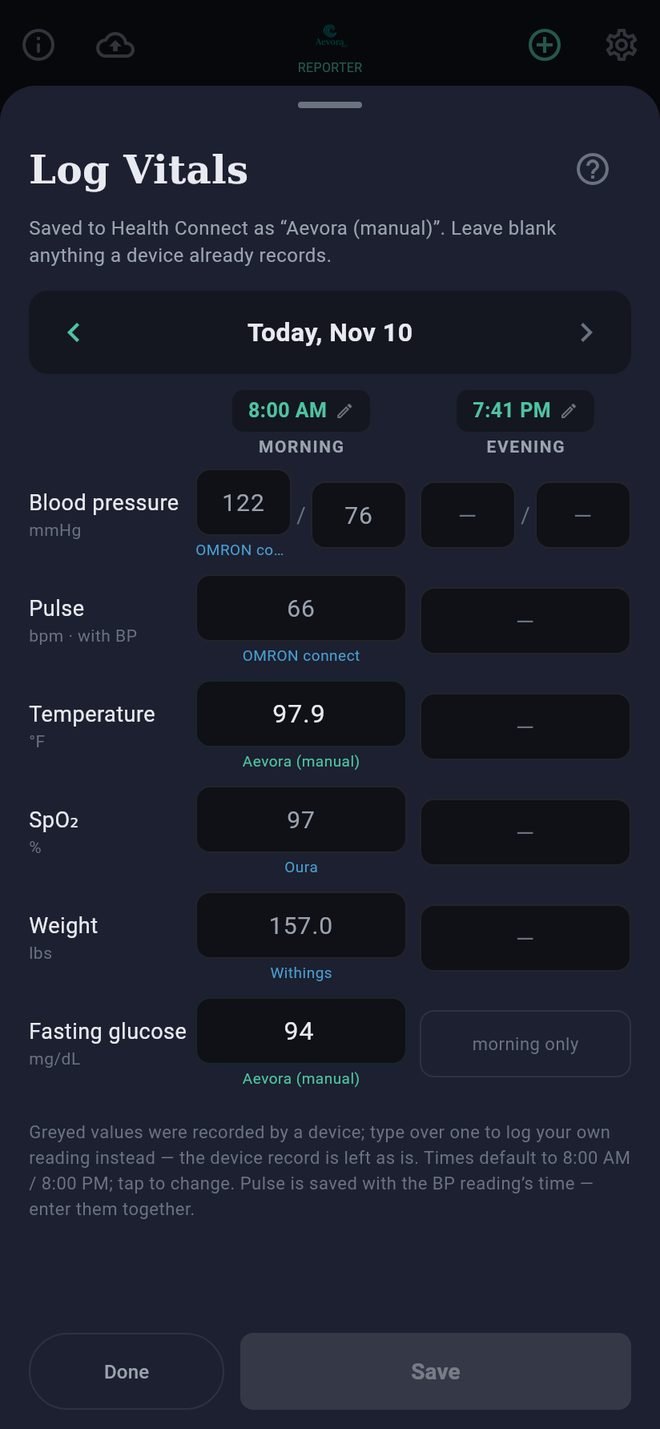
How the sheet is laid out
- One day at a time, with a Morning column and an Evening column. The arrows beside the date move a day at a time.
- Six rows: blood pressure, pulse, temperature, oxygen saturation, weight, and fasting glucose (morning only).
- Each column has a time, which you can tap to change. It starts at 8:00 AM and 8:00 PM, or the present time for the half of today you are in.
Filling it in
- Readings your devices already recorded appear in grey, with the device's name beneath. Leave those alone.
- Type the readings that are missing.
- Tap Save.
Typing over a grey value records your own reading for that time. The device's reading is not changed or removed; yours is simply used first.
Pulse needs a blood pressure reading in the same column, because it is recorded as the pulse taken with that reading.
Temperature and weight are typed in the units you chose in Settings under Profile, and glucose in mg/dL or mmol/L, whichever you chose there. The unit is shown beside each box.
Where the readings go
They are saved to Health Connect as your own, labeled Aevora (manual). They appear on Today and in every report, and they stay in Health Connect if you ever remove the app.
Changing or removing one
Open the same day, change the number and tap Save. To remove a reading, clear its box and tap Save. The app only ever changes readings it wrote itself.