
Using a packet with an AI assistant
What the AI format adds, and what to be careful about.
Some people find it useful to talk their numbers through with an AI assistant before talking to their care team. The For an AI format is written for that.
What it adds
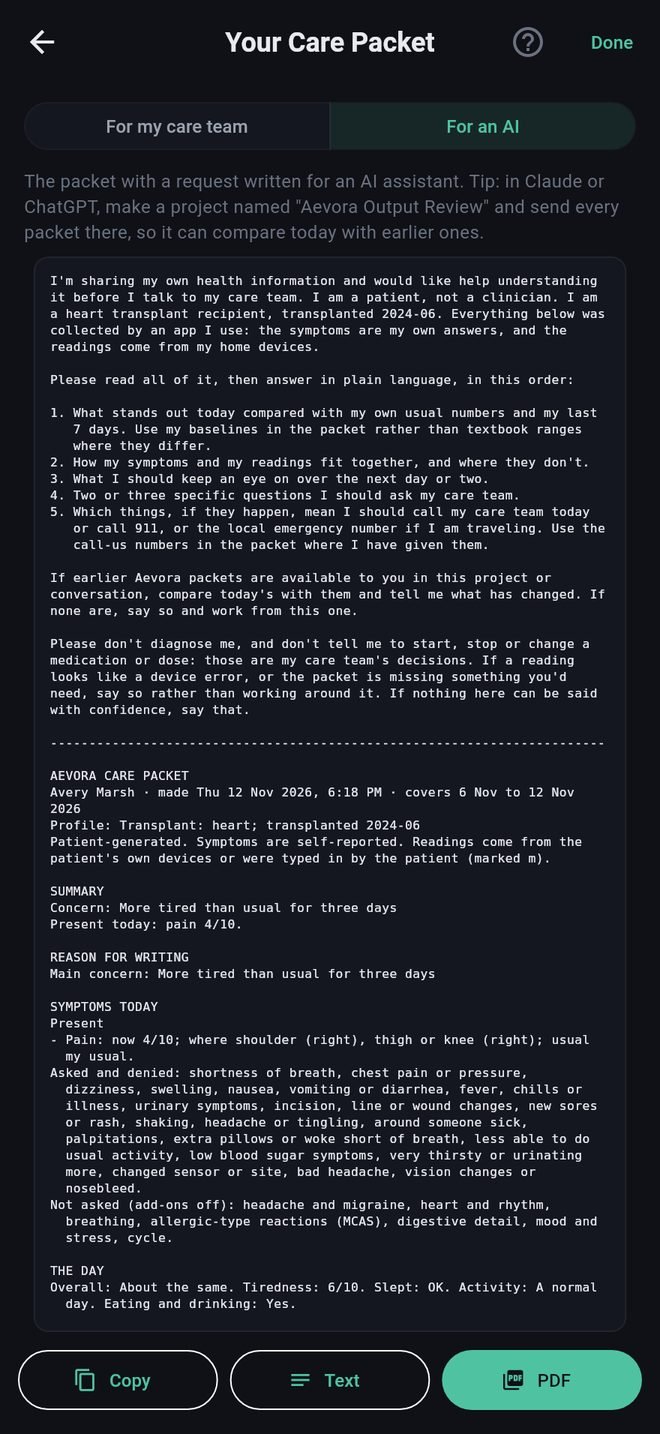
Before the packet, a request in your voice. It asks the assistant to say, in plain language:
- what stands out today against your own usual numbers,
- how your symptoms and readings fit together,
- what to keep an eye on,
- two or three questions to ask your care team,
- what should make you call your care team or your local emergency number (000, 111, 112, 911 or 999, depending on your country).
It also tells the assistant not to diagnose you and not to tell you to start, stop or change any medication, and to say so plainly if it cannot say anything with confidence.
After the packet comes your own question, if you gave one.
Sending it
Tap Copy or Text and paste it into the assistant, or tap PDF. The PDF carries the request and your question inside the one file.
Comparing over time
An assistant only knows what you give it. If the one you use lets you keep a project or folder of files, make one called "Aevora Output Review" and add each packet to it. The request asks the assistant to compare today with any earlier packets it can see.
Be careful
- Aevora Reporter does not send anything to any AI service. You do, by sharing.
- An AI service may keep what you send and use it under its own terms. Look at its privacy settings before you send health information.
- An assistant can be confidently wrong. Treat what it says as questions to take to your care team, not as answers.
Using a packet with an AI assistant
What the AI format adds, and what to be careful about.
Some people find it useful to talk their numbers through with an AI assistant before talking to their care team. The For an AI format is written for that.
What it adds
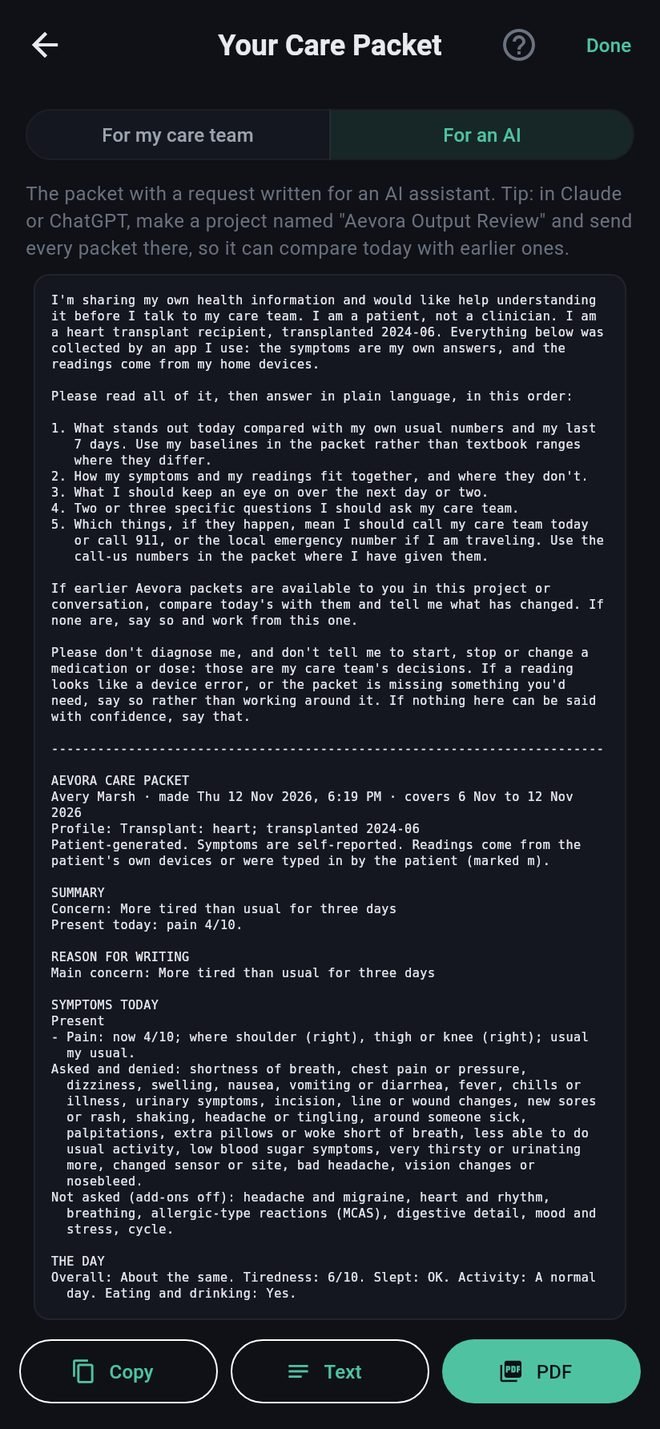
Before the packet, a request in your voice. It asks the assistant to say, in plain language:
- what stands out today against your own usual numbers,
- how your symptoms and readings fit together,
- what to keep an eye on,
- two or three questions to ask your care team,
- what should make you call your care team or your local emergency number (000, 111, 112, 911 or 999, depending on your country).
It also tells the assistant not to diagnose you and not to tell you to start, stop or change any medication, and to say so plainly if it cannot say anything with confidence.
After the packet comes your own question, if you gave one.
Sending it
Tap Copy or Text and paste it into the assistant, or tap PDF. The PDF carries the request and your question inside the one file.
Comparing over time
An assistant only knows what you give it. If the one you use lets you keep a project or folder of files, make one called "Aevora Output Review" and add each packet to it. The request asks the assistant to compare today with any earlier packets it can see.
Be careful
- Aevora Reporter does not send anything to any AI service. You do, by sharing.
- An AI service may keep what you send and use it under its own terms. Look at its privacy settings before you send health information.
- An assistant can be confidently wrong. Treat what it says as questions to take to your care team, not as answers.