
Setting up Check-In
Choosing a profile, add-ons and the numbers your care team gave you.
Check-In asks different questions depending on who you are. Setup takes a couple of minutes and can be changed at any time: tap Check-In, then the Setup line at the bottom, or the Check-In profile line at the top of Conditions.
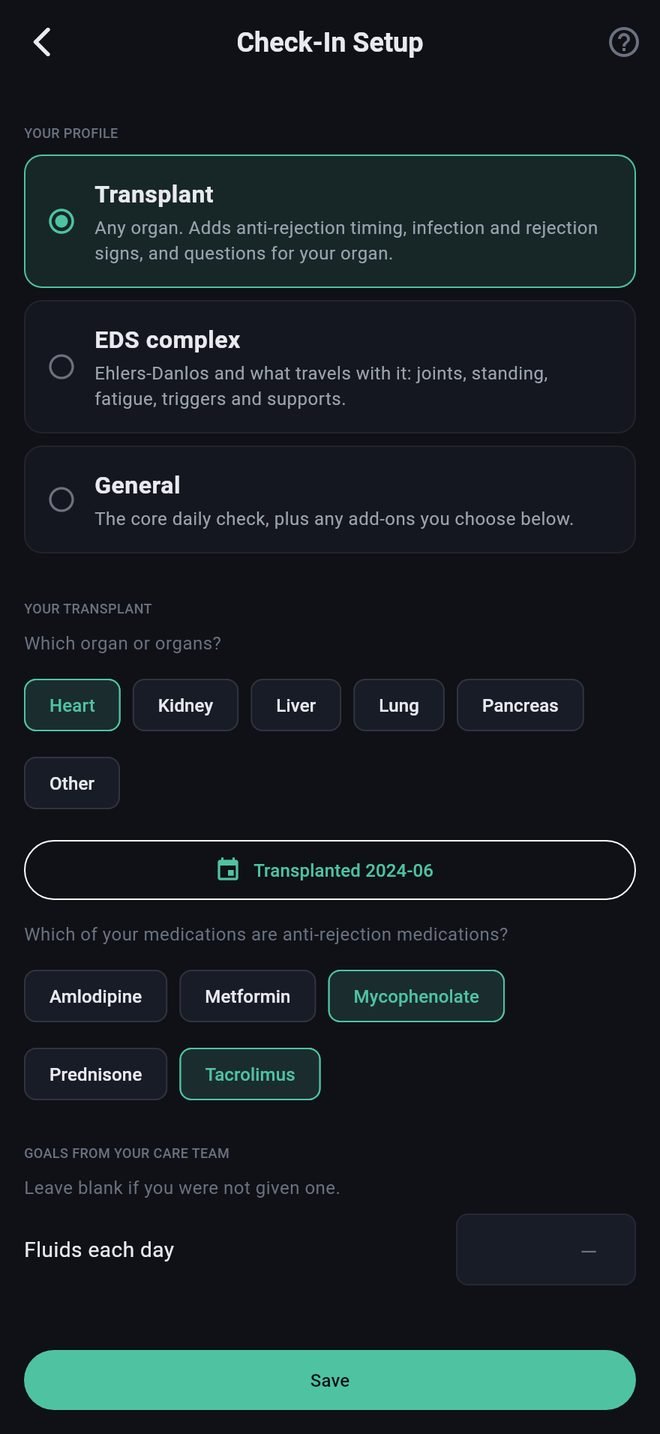
Your profile
- Transplant is for any organ. It adds questions about anti-rejection medication timing, signs of infection and rejection, and questions for your organ.
- EDS complex is for Ehlers-Danlos syndrome and what often travels with it: joints, trouble on standing, fatigue, triggers and supports.
- General is the core daily check, plus whichever add-ons you choose.
The app suggests a profile from the conditions you have entered. Change it if it is wrong.
What each profile asks for
- Transplant: your organ or organs, the month of your transplant, which of your medications are anti-rejection medications (picked from your Meds list, so add those first), and a fluid goal if you were given one.
- EDS complex: the diagnoses a clinician has given you, and fluid and salt goals if you have them.
- General: a line about what you are keeping track of.
Add-ons
Extra questions in your Daily Check: headache and migraine, glucose, heart and rhythm, blood pressure, breathing, allergic-type reactions (MCAS), digestive detail, mood and stress, cycle. The ones your conditions suggest are marked. Switch on only what you want to be asked every day.
Call-us numbers
These are the numbers your care team gave you: call if your temperature reaches this, if your weight goes up by this much in a day, and so on. Enter only numbers you were actually given. Leave the rest blank.
For a transplant profile, three common instructions are already filled in: a temperature of 100.4 °F (38.0 °C), a weight gain of 2 lb in a day (1 kg), and blood pressure of 130 over 80. Change them to match your own team's. Weekly weight gain is left blank for you to fill in.
Temperature and weight are entered in the units you chose in Settings under Profile. If you switch units later, the numbers you entered are converted for you.
What the app does with these numbers is described in Call notices and call-us numbers.
Setting up Check-In
Choosing a profile, add-ons and the numbers your care team gave you.
Check-In asks different questions depending on who you are. Setup takes a couple of minutes and can be changed at any time: tap Check-In, then the Setup line at the bottom, or the Check-In profile line at the top of Conditions.
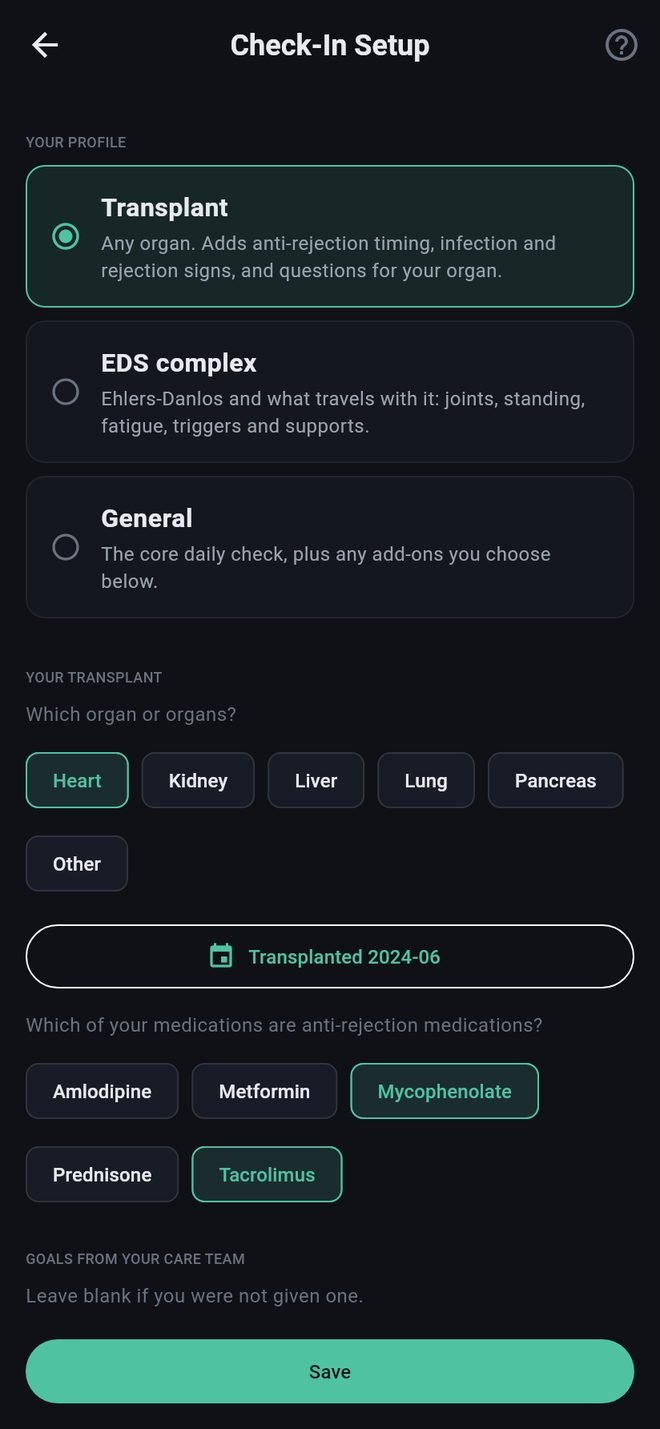
Your profile
- Transplant is for any organ. It adds questions about anti-rejection medication timing, signs of infection and rejection, and questions for your organ.
- EDS complex is for Ehlers-Danlos syndrome and what often travels with it: joints, trouble on standing, fatigue, triggers and supports.
- General is the core daily check, plus whichever add-ons you choose.
The app suggests a profile from the conditions you have entered. Change it if it is wrong.
What each profile asks for
- Transplant: your organ or organs, the month of your transplant, which of your medications are anti-rejection medications (picked from your Meds list, so add those first), and a fluid goal if you were given one.
- EDS complex: the diagnoses a clinician has given you, and fluid and salt goals if you have them.
- General: a line about what you are keeping track of.
Add-ons
Extra questions in your Daily Check: headache and migraine, glucose, heart and rhythm, blood pressure, breathing, allergic-type reactions (MCAS), digestive detail, mood and stress, cycle. The ones your conditions suggest are marked. Switch on only what you want to be asked every day.
Call-us numbers
These are the numbers your care team gave you: call if your temperature reaches this, if your weight goes up by this much in a day, and so on. Enter only numbers you were actually given. Leave the rest blank.
For a transplant profile, three common instructions are already filled in: a temperature of 100.4 °F (38.0 °C), a weight gain of 2 lb in a day (1 kg), and blood pressure of 130 over 80. Change them to match your own team's. Weekly weight gain is left blank for you to fill in.
Temperature and weight are entered in the units you chose in Settings under Profile. If you switch units later, the numbers you entered are converted for you.
What the app does with these numbers is described in Call notices and call-us numbers.